2026-08-10 18:31
Malware Anlaysis- Learning Dynamically with dekont.exe
Prep
File Name: e-Archive Dekont.exe MD5 Hash: 7a0093c743fc33a5e111f2fec269f79b SHA256 Hash: 722ef401e5cbb067c5c33faa402774d3c75ef08e0c8cc4d7e66a9cfa53684088
Isolation & Monitoring
Ensure the networks are isolated on a custom NAT network first.
Started procmon, started tshark , started Process Explorer, took first shot on Reg Shot
tshark -i Ethernet0 -w dekont.pcapPrior to running malware for dynamic analysis, ensure you're monitoring covers network traffic, new processes, any file interactions (r, w, c), and monitoring the registry. I have procex for process monitoring, ProcMon for file system, and regshot for a before/after of the Registry.
Remnux
In the same subnet (custom Vnet), I launched Remnux and am running Wireshark and FakeDNS. You have to simulate a real network to capture as many IOC’s as possible. Especially today, malware will run tests to see if it is inside a virtual machine/lab environment such as checking the host name or file system checks.
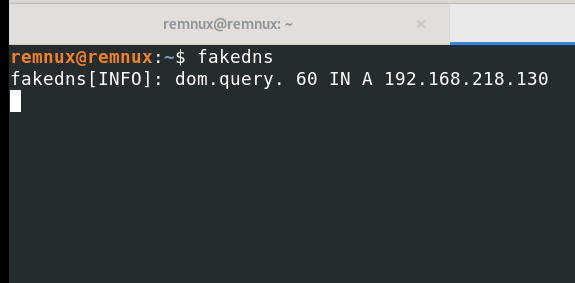
INetSim
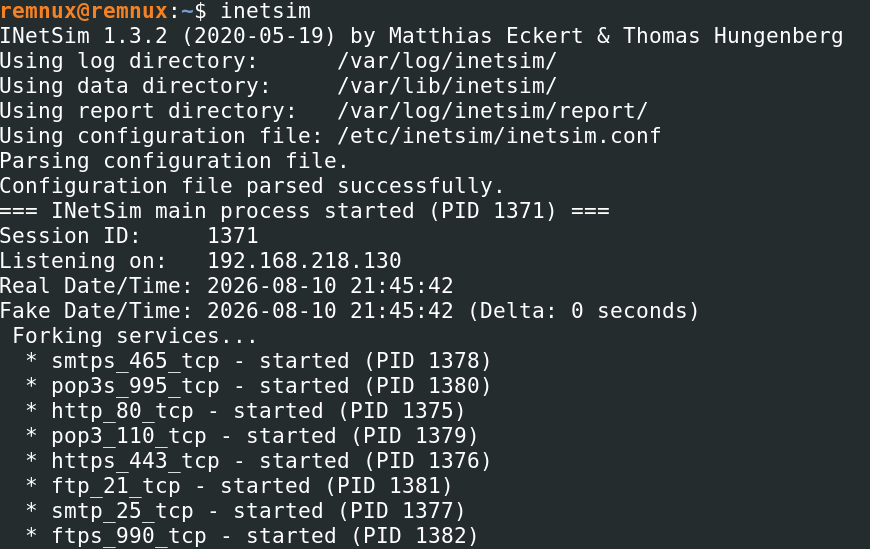
Post Detonation

Proc Ex
I am surprised at how much it interacted with the operating system so quickly. Like all of these Reg queries. Also, assuming these create files like C:\Windows\Microsoft.NET\Framework\v4.0.30319\clr.dll are what the industry refers to as DLL side loading.

After the two minute mark since detonation, the first process above spawned itself again. Then within ten seconds and fumbling to get my screen snippet up the following screenshot the process killed itself .
Networking
DNS Query to C2
 The only network traffic is attempted communication with what we believe to be a C2 domain. Lets check VT for if this has been seen before.
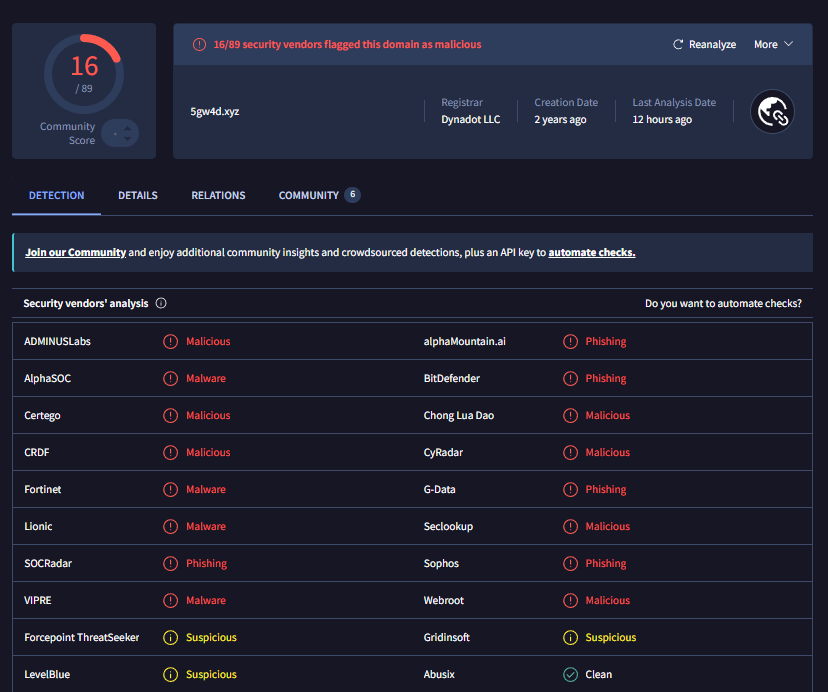 These would be the files this initial access malware would have attempted to retrieve after this initial query.
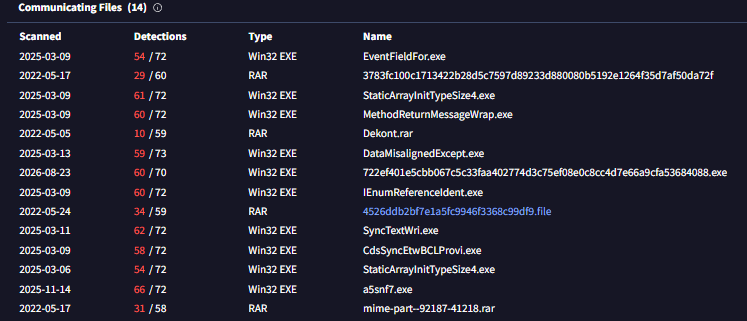
Persistence
Since the Proc explorer only captures the processes in real time, processes that were killed were not caught. I now realize fumbling for that screenshot was unnecessary. Proc Mon has a solution for this with following the process trees (Parent and child processes).
If you didn’t already know, for quality of life, filter the monitoring output to only the malware you are analyzing like so.
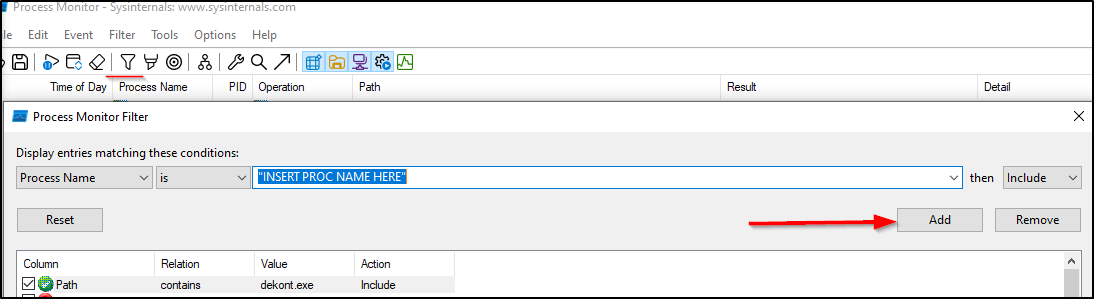
Click the icon that is underlined in red to open the process tree.

Here we can see that the malware opened up Task scheduler which then opened up Conhost.exe via cmd prompt.

Here is the command where we can then find where this task lives. Looks to be under a new folder titled “Updates”.

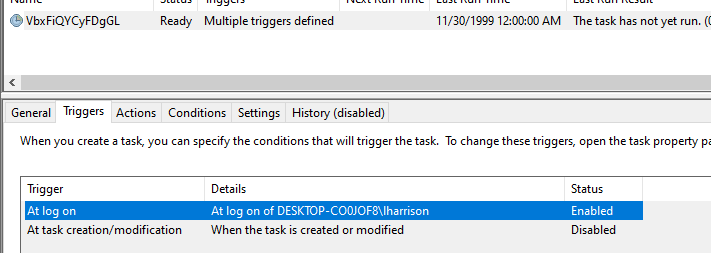
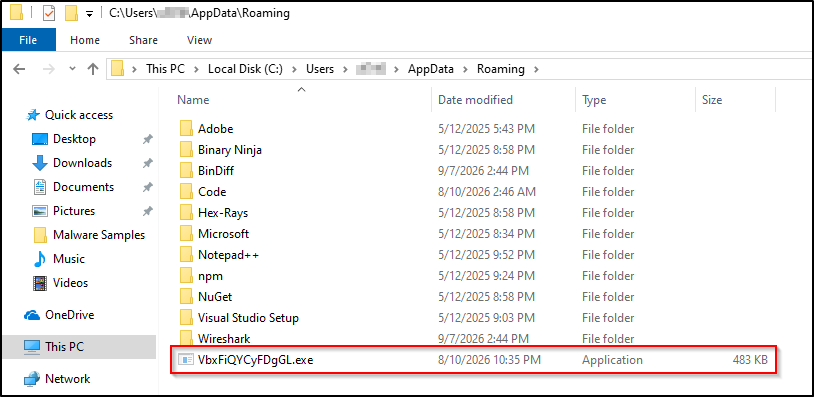
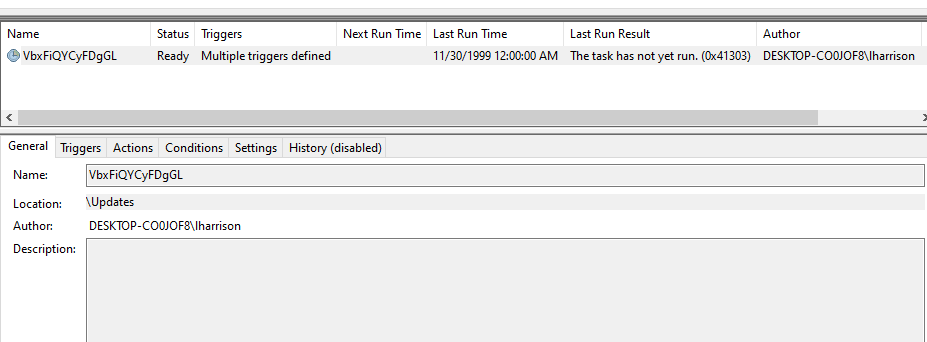 Lets move to the scheduled task library to examine what this task should do and its triggers. The command above shows the task named VbxFiQYCyFDgGL is triggered on logon to open a program at “C:\Users\user\AppData\Roaming\VbxFiQYCyFDgGL.exe”. The details of the task were loaded from an XML file that lived at "C:\Users\user\AppData\Local\Temp\tmp63BE.tmp”. However, this has since been deleted. This is because task scheduler needs to read the instructions of the task from somewhere and the malware writes the instructions to a XML file. Once the command is done and the task is created, the XML file of instructions are no longer needed.
Registry
Here is the Reg Shot
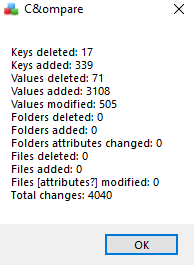
After some brief scanning we can come across this entry that looks familiar:

Post Analysis Review
The IOC's produced from this dynamic analysis are enough to get the ball rolling on some efficient incident repsonse. We found network artificats, command line arguments, and file hashes. All produced in under thirty minutes, from a beginner at that. If the malware allows it why wouldn't you use dynamic analysis? I now see why sandboxing is a vital tool to any analyst.
Returning to the original lesson on Lets Defend I did miss two things worth mentioning. I did not have this subnet able to reach the internet and if I would have the malware would've sent HTTP traffic to that same domain name from earlier. The second thing I missed was the registry keys read to learn about the victim. Things like the hostname and what applications were installed. The key that was read to glean that information was "HKLM\Software\WOW6432Node\Microsoft\Windows\CurrrentVersion\Uninstall".
Since this run only revealed part of the story, the next time I would like to deliver DNS responses from remnux and ensure it could reach the internet without overlooking any security concerns. All in all, some of the most fun I've had with any cyber security task.
Relevant Links
https://app.letsdefend.io/training/lesson_detail/dynamic-malware-analysis-example-1 https://bazaar.abuse.ch/sample/722ef401e5cbb067c5c33faa402774d3c75ef08e0c8cc4d7e66a9cfa53684088/